Tour: The import review
Sort the treasure before it goes in the chest.
After you pick a statement file, WellSpent shows what each line will do. Nothing is added until you press Import.
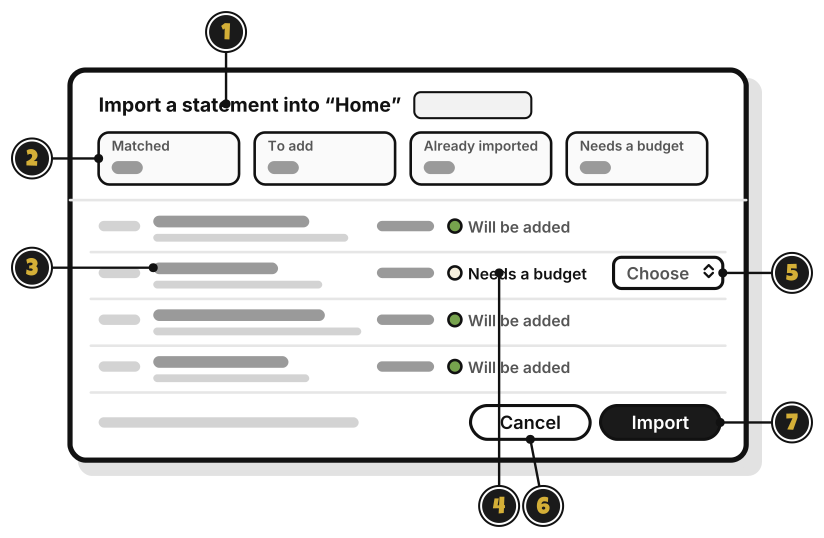
- Import a statement into “Home”: the group the statement goes into.
- The counts: how many lines are Matched, To add, Already imported, or Needs a budget.
- A line: a cleaned-up name, with the bank’s own words under it.
- What will happen to it: Will be added, Already imported, Matched to entry or Needs a budget.
- Choose: pick a budget for a line that needs one. Leave it on Choose to skip the line.
- Cancel: close, and add nothing.
- Import: add the lines. Quest 6
A line you typed in by hand, with the same amount and a date within four days, shows Matched to entry, and isn’t added twice.