Quest 8: Join a group
Your party is waiting. Join them.
Before you start: sign in, and confirm your email. Joining needs both. You also need the invite link from the person who shared the group.
-
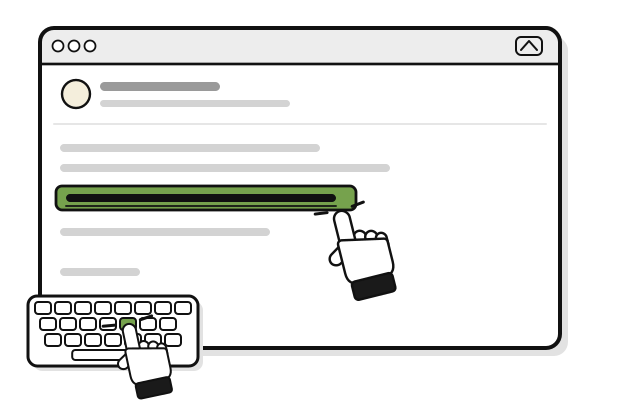 Copy the link from their message.
 -
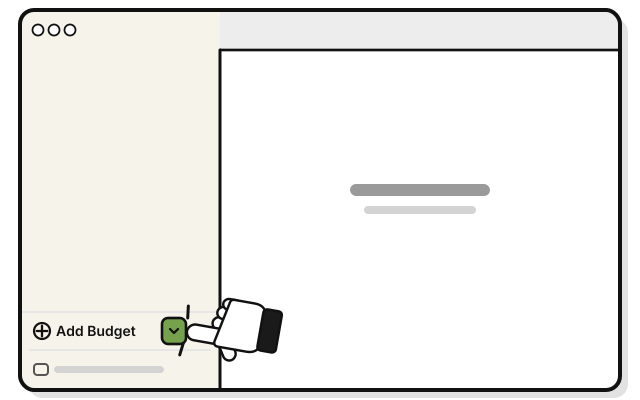 Click the small arrow just right of Add Budget, at the bottom of the sidebar.
 -
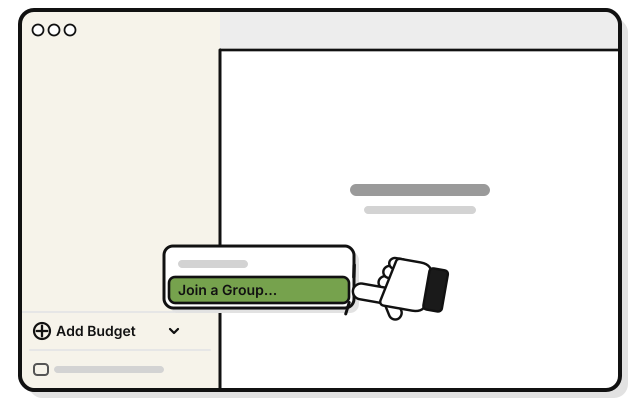 Pick Join a Group…
 -
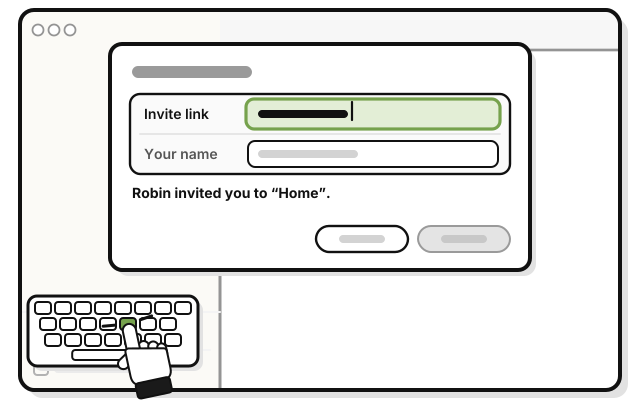 Paste the link into Invite link.
You see who invited you, and the group’s name.
-
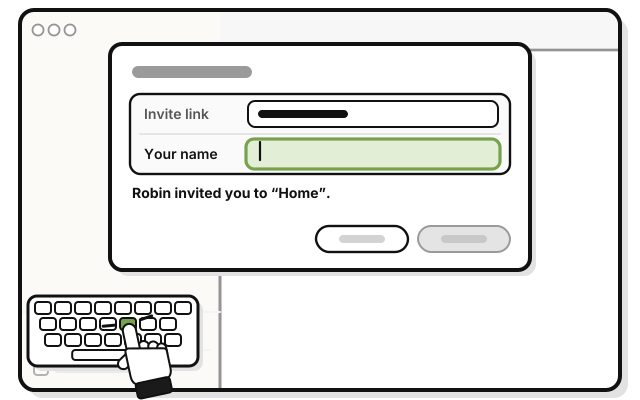 Type your name in Your name. This is the name the group sees.
 -
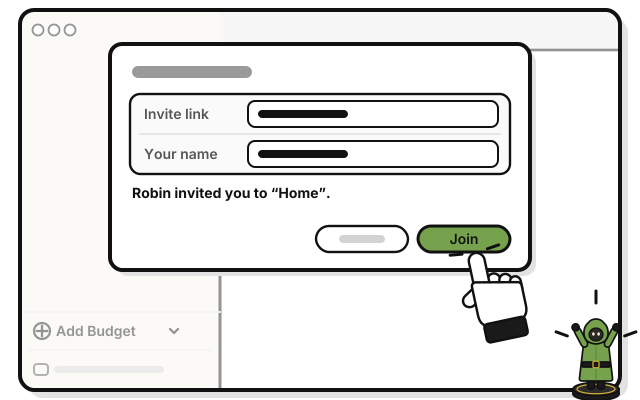 Press Join.
You see the group in your sidebar. Its budgets fill in a moment later.
Coming in the next update: click to join
On a Mac, click the link in the message. WellSpent opens to the invite. Type your name in Your name, and press Join.
If it doesn’t work
- “Confirm your email first. Joining a shared group needs it.”: press Confirm your email…, press Send a code, and type the code WellSpent emails you. Then try again.
- “Sign in first, or create an account.”: sign in, and try again. No account yet? Do Quest 2: Make your account.
- “That invite has expired or can no longer be used.” or “That invite has already been accepted.”: ask for a new link. A link works once, for 7 days.
- “Part of that invite link is missing.” or “That is not a WellSpent invite link.”: copy the whole link again, and paste it.
- “You are already in that group.”: you’re in. Look for the group in your sidebar.