Quest 3: Make your first group
Gather your party, and give it a name.
A group holds budgets you track together. It’s also what you share with someone later.
-
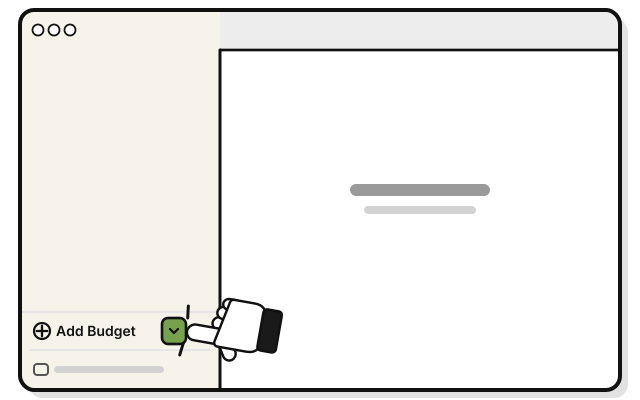 Click the small arrow just right of Add Budget, at the bottom of the sidebar.
 -
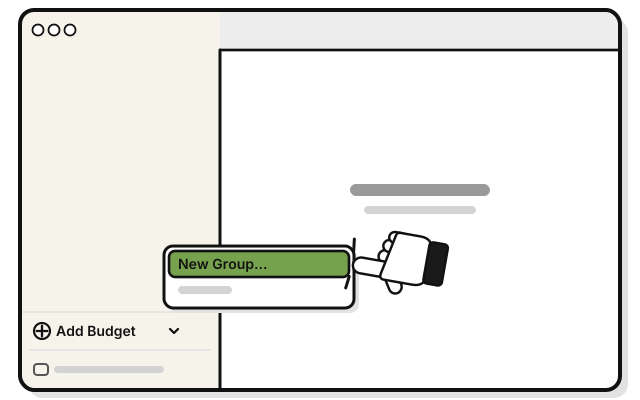 Pick New Group…
 -
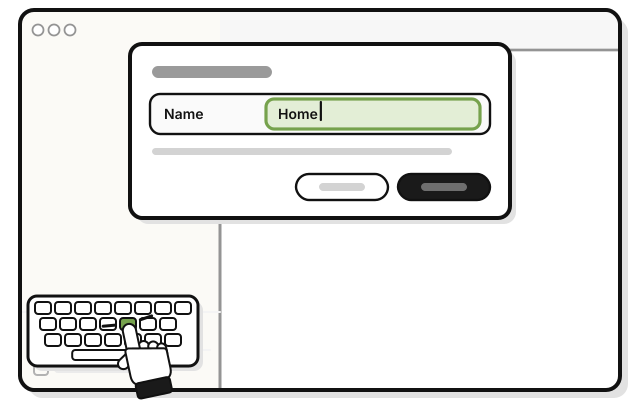 Type a name in Name, like Home.
 -
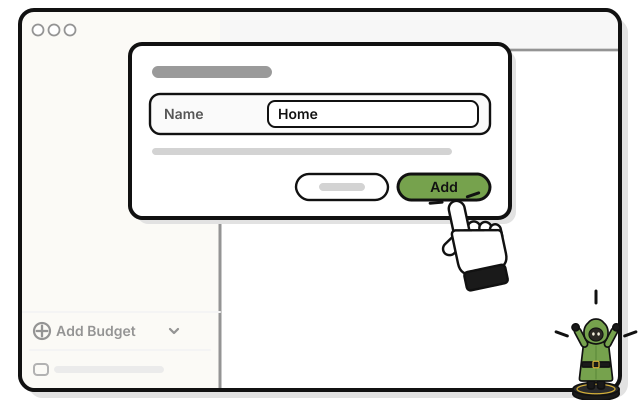 Press Add.
You see HOME in the sidebar.
If it doesn’t work
- A New Budget window opens: press Cancel. Then click the small arrow, not the words Add Budget.
- Add stays dimmed: the group needs a name.