Tour: The Sign in window
Knock on the guild’s door.
Sign in, at the bottom of the sidebar, opens this window.
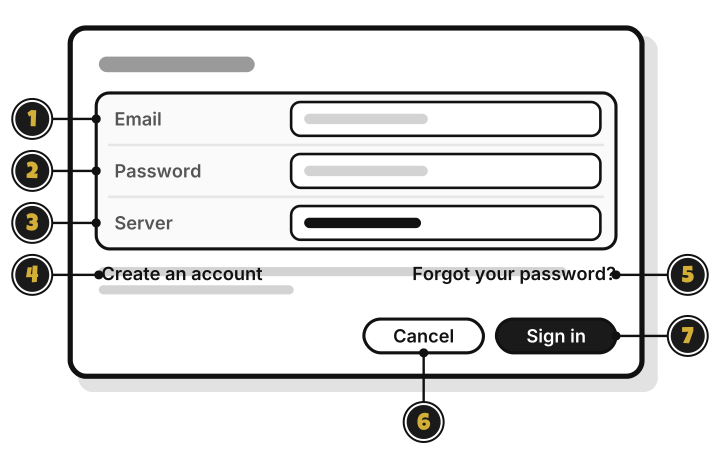
- Email: your account’s email.
- Password: your password.
- Server: where your budgets sync. Leave it as it is.
- Create an account: make a new account. Quest 2
- Forgot your password?: set a new one, with a code WellSpent emails you.
- Cancel: close without signing in.
- Sign in: sign in with the email and password above.