Tour: A transaction
Every coin has a story. Here’s where you read it.
Coming in the next update: on a Mac, click a transaction in a budget’s list, and it opens like this.
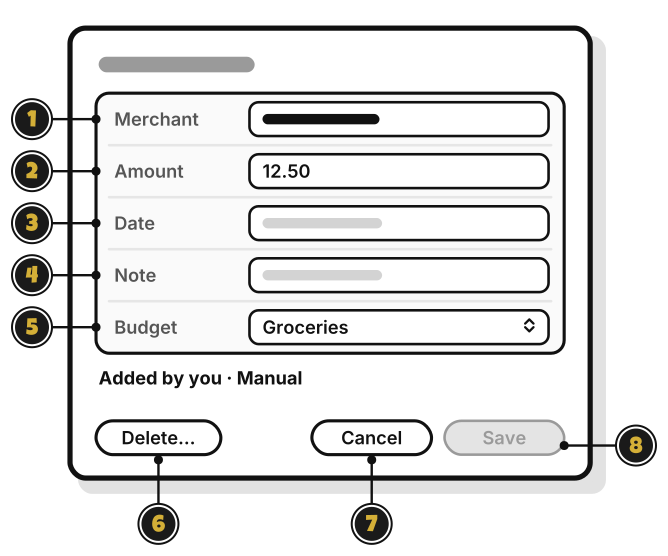
- Merchant: who you paid.
- Amount: how much. Type it as a number.
- Date: when. A date before this period keeps it off this period’s page.
- Note: anything to remember. It shows under the merchant.
- Budget: move it to another budget in the same group.
- Delete…: delete it. It asks first, and Undo shows for about 10 seconds after.
- Cancel: close without saving.
- Save: save your changes. It stays dimmed until something changes.
Add on a budget’s page opens a shorter window, New transaction: Merchant, Amount, Date and Note, with Add.
At the View level, you can read a transaction but not change it. At Add, you can change only the ones you added.