Tour: The Share window
Every invitation needs a messenger.
Share… on a group’s menu opens this window.
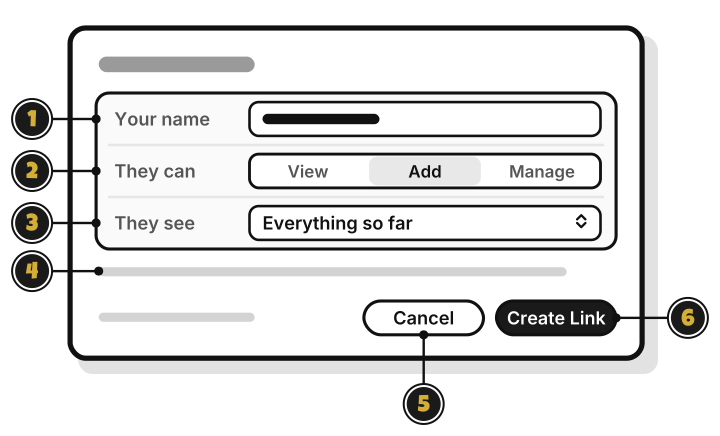
- Your name: the name the group sees.
- They can: View, Add or Manage.
- They see: Everything so far, or Only from now on.
- The line under them: what the level you picked can do.
- Cancel: close, and make no link.
- Create Link: make the invite link. It stays dimmed until there’s a name.
After you press Create Link
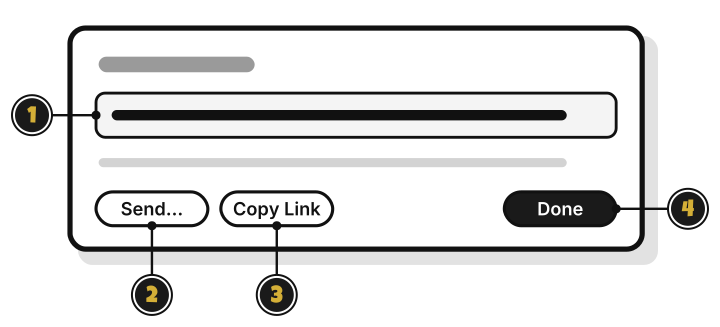
- The link: it works once, for 7 days.
- Send…: send it from another app, such as email.
- Copy Link: copy it, to paste into a message.
- Done: close the window. You can’t see the link again after this.