Tour: The budget window
Every pouch gets a name and a size.
Add Budget, or New Budget in Home… on a group’s menu, opens this window.
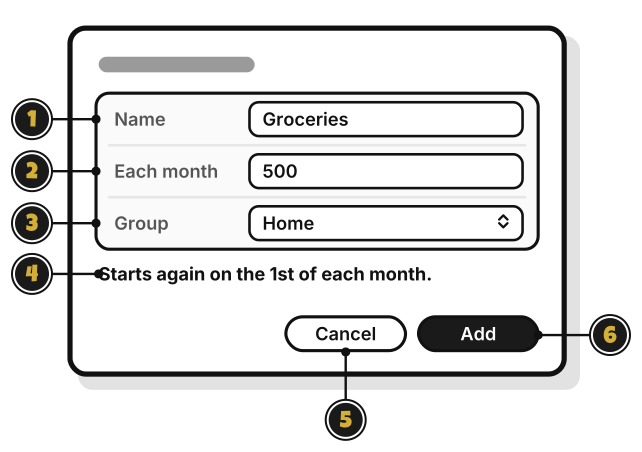
- Name: what the budget is for, like Groceries.
- Each month: how much to spend each month.
- Group: the group it goes in.
- Starts again on the 1st of each month.: when the budget fills up again.
- Cancel: close, and make nothing.
- Add: make the budget. It stays dimmed until there’s a name and an amount above zero.
Edit… on a budget’s menu opens the same window, called Edit Budget, with Save in place of Add, and no Group.