Tour: Your account
Your character sheet.
Account, the person at the top of a budget’s page, opens this window when you’re signed in.
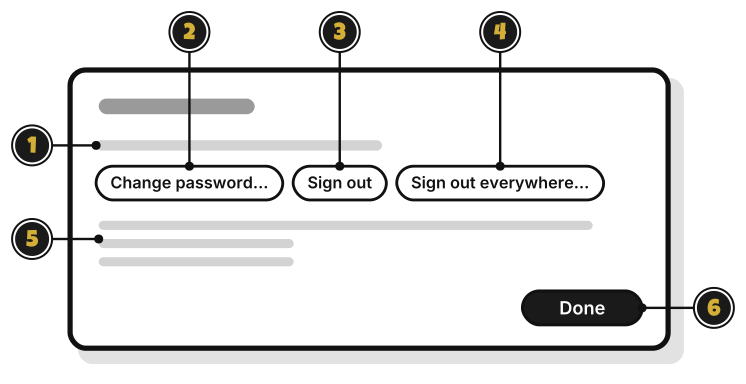
- Signed in as your email: the account you’re using.
- Change password…: set a new password. Every other device is signed out.
- Sign out: sign out on this computer. Your budgets come back when you sign in again.
- Sign out everywhere…: sign out on every device at once. It asks first, and each device keeps its budgets.
- How your budgets sync: “Your budgets sync through WellSpent’s server. Connections and backups are encrypted. The server can read your budgets, which is how it checks who may change what and how it resets a forgotten password.”
- Done: close the window.
Email not confirmed yet? A line says why, with Confirm your email…